
Can Walkie Talkies from Different Brands Communicate?
Sometimes. Compatibility depends on the operating technology, supported frequencies or platform, configuration and required functions. A matching channel number or a shared “digital” label is not enough. Confirm the exact models and test the required calls before buying additional radios.
For a business expanding an existing fleet, the purchasing question is whether the proposed equipment supports the actual system and workflow. Basic voice compatibility does not automatically include dispatch, emergency signaling, location services or other features.
1. Identify the Technology Already in Use
Start with the exact model numbers and operating mode. Determine whether the fleet uses analog radio, DMR or a cellular push-to-talk platform. Also identify any repeater or dispatch system.
Some devices support more than one mode. Record the mode actually used by your team rather than assuming every advertised capability is active.
| Existing System | What to Confirm | What Not to Assume |
|---|---|---|
| Analog | Frequency capability, channel configuration and required signaling | Identical channel numbers mean identical settings |
| DMR | Supported system type, configuration and required interoperable functions | Every DMR feature works across all brands |
| PoC / LTE | Supported platform, account provisioning and service arrangements | Any two SIM-equipped radios can communicate |
| Linked systems | Gateway support and the functions carried across the connection | A voice connection transfers every feature |
2. For Analog Radios, Compare the Actual Configuration
Ask your radio administrator or service provider to identify the approved channel configuration and confirm that the proposed model supports it. Include any repeater arrangement and required signaling.
Do not rely on labels such as “Channel 1.” Channel names and numbers are identifiers; the settings behind them can differ between devices.
The supplier should review the configuration for the intended country and authorized system before preparing samples.
3. For DMR, Check the Functions You Need
DMR supports multi-vendor interoperability, but the scope matters. The DMR Association’s certification process distinguishes mandatory and optional functions, and its certificates identify the relevant hardware and software releases. See the DMR interoperability certification process.
Ask for evidence covering the proposed equipment and required functions. Where appropriate, review the published certificates and test results.
List basic group calls separately from private calls, emergency signaling, text, location, encryption or dispatch requirements. Verify the features your team depends on rather than accepting “DMR compatible” as a complete answer.
4. For PoC Radios, Confirm Platform Compatibility
A cellular connection provides network access; it does not establish that two devices share a push-to-talk service. Confirm the platform supported by each model and whether the devices can be provisioned into the intended account and groups.
Ask who controls account administration, which subscriptions are required and whether the proposed hardware is restricted to a particular service.
If you are replacing devices while retaining a platform, get approval for the exact model and software version before ordering.
5. Treat Radio-to-PoC Integration as a Separate Requirement
If users on a traditional radio system need to communicate with PoC users, ask for a defined integration proposal. Identify the required equipment, services and support responsibilities.
Confirm which functions cross the connection. Group voice, user identity, emergency events and location information should each be reviewed rather than assumed to transfer together.
Test the complete proposed arrangement, including its behavior when one connection becomes unavailable.
6. Run a Mixed-Fleet Trial
Use the actual existing radios, proposed samples and intended infrastructure. Test calls in both directions and across the groups or channels your staff uses.
Record missed calls, audio problems and functions that behave differently. Check the workflow after restarting devices and during representative operating conditions.
Illustrative example: two models exchange ordinary voice calls successfully, but an alert from the new model does not appear as expected in the dispatch system. If that alert is required, the trial has not yet demonstrated full suitability for the job.
7. Include Accessories and Programming in the Order
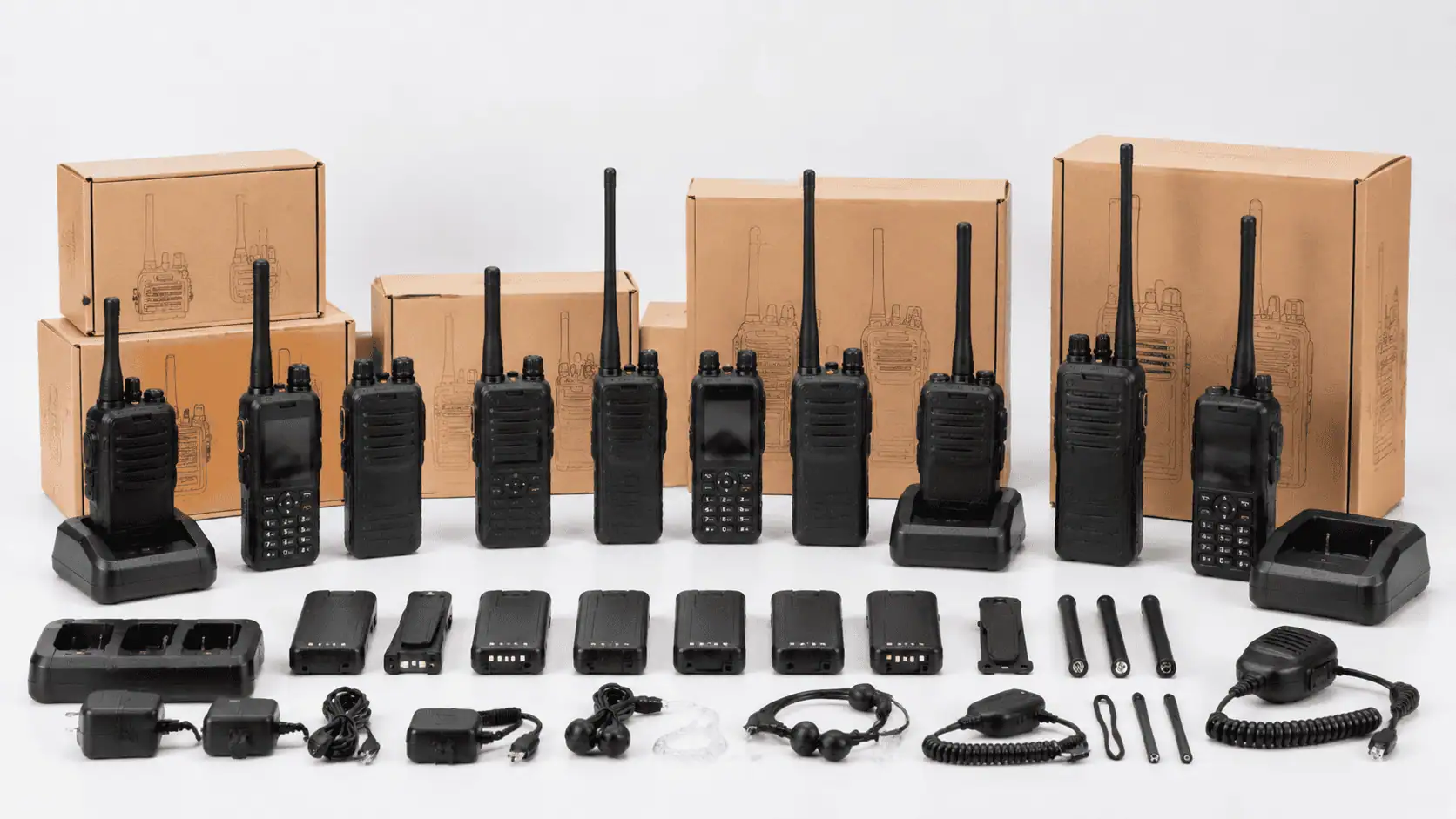
Communication compatibility does not establish accessory compatibility. Verify batteries, chargers, earpieces, speaker microphones and programming equipment against the selected model.
Agree who prepares and approves the configuration, how it will be recorded and what changes require another review. Keep an identified sample or configuration record for checking the bulk delivery.
What to Send for a Compatibility Review
Provide the existing brand and exact model, operating technology, repeater or platform details, required functions and destination country. Include the planned quantity and any accessories you want to retain.
Have an authorized administrator share relevant configuration information through an agreed secure method. Do not send account passwords or encryption keys in a general enquiry.
Ready to source? See our OEM DMR radios page for models, OEM options and quotation details.
Walkie Talkie Compatibility Matrix
Cross-brand compatibility depends less on the logo and more on the radio technology, frequency band and settings. The matrix below summarises what usually works, what may work with care and what needs extra equipment. Always confirm with a sample test, because firmware and feature support differ between models.
| Scenario | Usually compatible? | Conditions | Main limitation |
|---|---|---|---|
| Analog to analog (different brands) | Usually yes | Same band and frequency, matching CTCSS/DCS tones | Proprietary features such as scrambling rarely work cross-brand |
| DMR to DMR (different brands) | Often yes for basic voice | Same DMR tier, frequency, color code, time slot and talk group | Encryption, text and some signalling may be brand-specific |
| Analog radio to DMR radio | Yes if DMR radio uses analog channel or mixed mode | DMR radio programmed with analog channels matching the analog fleet | Digital features unavailable on analog calls |
| PoC radio to conventional radio | Only with a gateway | Radio gateway or interface linking PoC group to an RF channel | Extra hardware, configuration and possible audio delay |
| PoC to PoC (different brands) | Only on the same platform | Both devices supported by and registered on one platform | Different platforms generally do not interconnect |
For background on each technology, see our DMR vs analog vs PoC guide.
Why brand names matter less than standards
Analog FM radios on the same band follow common technical principles, which is why different brands usually talk to each other once frequencies and tones match. DMR is an open ETSI standard, so basic voice between DMR brands is common, but manufacturers add their own extensions for features such as encryption, messaging and location. PoC is different: each platform uses its own servers and protocols, so compatibility is decided by the platform rather than the radio hardware. When a supplier says a radio is “compatible”, ask exactly which features were tested and with which models.
Where a scenario is marked “often” or “only with”, treat it as a question to test rather than a promise. Firmware versions within the same model can behave differently, so record the firmware of every radio used in the trial.
Programming Parameters You Need to Match
When radios from different brands will not talk to each other, the cause is usually a single mismatched setting. Collect the programming details from your existing fleet before ordering new radios, ideally by exporting a codeplug or channel list.
| Parameter | Applies to | What must match |
|---|---|---|
| Frequency (TX and RX) | Analog and DMR | Exact transmit and receive frequencies, including repeater offsets |
| Channel bandwidth | Analog | Wide or narrow band setting (for example 12.5 kHz vs 25 kHz) |
| CTCSS / DCS tone | Analog | Same tone or code, and same use on transmit and receive |
| Color code | DMR | Same color code on all radios and the repeater |
| Time slot | DMR (Tier II) | Same slot for the talk group |
| Talk group / contact ID | DMR | Same group ID; unique radio IDs for each unit |
| Encryption key | DMR (if used) | Same algorithm and key; often not compatible cross-brand |
Keep channel names consistent across brands, so users see the same channel label whatever radio they carry. A manufacturer that offers programming support can load your existing plan into new radios before shipment.
Watch for license conditions too. In many countries the license specifies frequencies, bandwidth and sometimes equipment type, so new radios must be programmed within those limits. A radio that talks perfectly to your fleet can still be non-compliant if it is set to the wrong bandwidth or power.
Gather settings before you order
The easiest way to avoid mismatches is to read an existing radio with its programming software and save the file, or ask your current supplier for the channel plan. If neither is possible, record each channel’s frequency, tone and bandwidth from the radio menu or a service shop report. Share this information with the new manufacturer in a simple table so their engineers can program samples correctly the first time.
How to Run a Mixed-Brand Trial
Before buying a batch of new radios to join an existing fleet, run a short trial that reflects real use. It confirms compatibility and exposes problems while they are still cheap to fix.
- Document the current fleet: brands, models, band, analog or DMR mode, and repeater details.
- Share the channel plan with the new manufacturer and request samples programmed to it.
- Test basic calls in both directions on every channel your users need.
- Test through the repeater, if you use one, and in the furthest locations on site.
- Check features you rely on, such as group calls, emergency alerts or man-down, across brands.
- Check accessory compatibility: most accessories are model-specific, so plan for separate earpieces and batteries.
- Record results and approve the programming file before ordering in volume.
If you are also adding radios on a new band or license, confirm local rules first. U.S. buyers can review licensed vs license-free walkie talkies. To check whether our DMR radios can join your current system, send us your channel details.
Buyer Questions
Will two radios work together if both display the same channel number?
Not necessarily. Their underlying settings and supported technology must match the intended system.
Does DMR certification guarantee every feature?
No. Check the equipment, software and functions covered by the applicable evidence, then test your required workflow.
Can a new PoC radio join my existing platform?
Only if the platform and device support that arrangement. Confirm provisioning and service requirements before purchase.
Do I need to replace the whole fleet?
Not always. A compatible addition may be possible, but the decision should follow a review of required functions and a successful trial.
Can a DMR radio talk to an analog walkie talkie?
Yes, if the DMR radio is programmed with an analog channel, or uses a mixed mode that scans both analog and digital channels. The frequency, bandwidth and CTCSS or DCS tones must match the analog fleet. Digital features such as text messages and digital IDs will not work on analog calls.
Why can’t my new radios hear my old radios?
The most common causes are a mismatched frequency, wrong CTCSS or DCS tone, different bandwidth, or on DMR a different color code, time slot or talk group. Compare the programming of one old and one new radio side by side, then correct the setting that differs.
Can PoC radios work with traditional walkie talkies?
Not directly, because PoC radios use mobile networks and conventional radios use RF channels. A radio gateway or interface can bridge a PoC talk group with an analog or DMR channel. This adds hardware and setup, and some audio delay is possible, so test the arrangement before full deployment.
Check Compatibility Before Expanding Your Fleet
Send your existing model and system details, required functions and planned quantity. Request a proposed configuration and sample trial before committing to the bulk order.
Email: lorabanzhitao@gmail.com
Related Guides
Sourcing radios for your brand or distribution business?
We support OEM and private label orders: logo, housing color, packaging, firmware and channel programming. Send your target market and quantities for a quote and samples.
Get a Quote →Browse Our Radios