
Most walkie talkie buttons follow the same logic across brands: a push-to-talk (PTT) key on the side, a channel selector and volume knob on top, and one or more programmable side keys for functions such as monitor, scan or an emergency alert. Knowing what each control does helps users make clear calls and helps buyers specify the right layout. This guide explains common walkie talkie parts and functions, how they differ on analog, DMR and PoC radios, and what to program.
The Main Walkie Talkie Buttons at a Glance
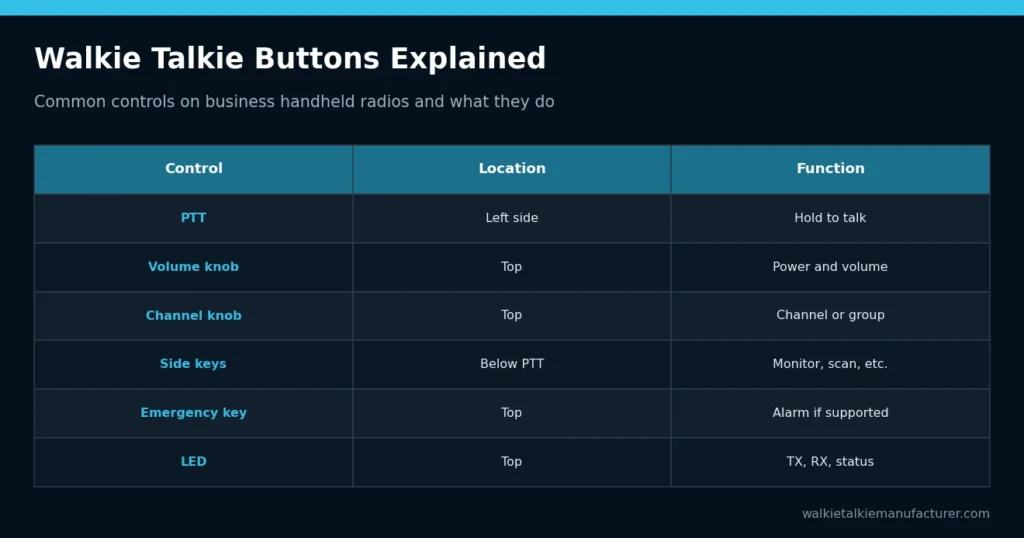
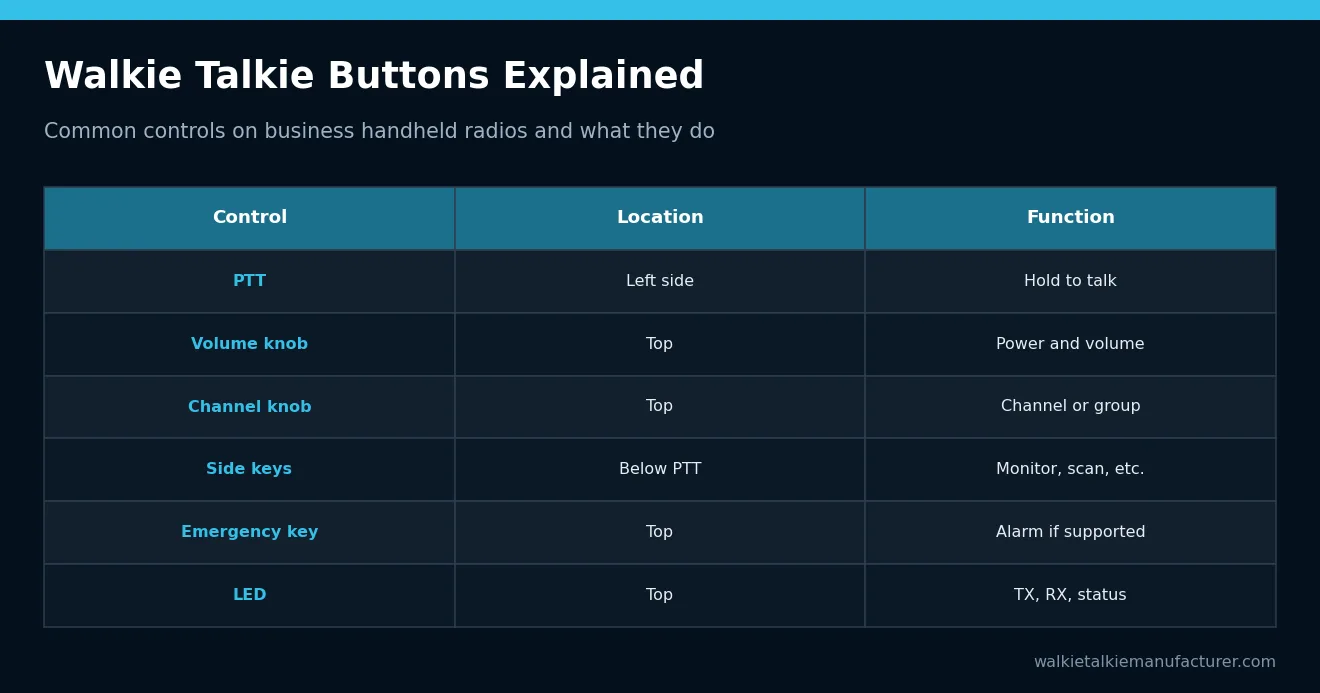
The table lists the controls found on most business handheld radios. Exact positions and names vary by model.
| Control | Usual location | What it does |
|---|---|---|
| PTT (push-to-talk) | Left side, large key | Hold to transmit, release to listen |
| Power / volume knob | Top | Turns the radio on and sets speaker volume |
| Channel / group selector | Top | Chooses the channel, zone or talk group |
| Side keys | Below PTT | Programmable functions such as monitor or scan |
| Emergency key | Top, often orange or red | Sends an alarm where supported |
| LED indicator | Top | Shows transmit, receive and status |
| Accessory jack | Side | Connects speaker mics and earpieces |
For a full breakdown of physical components beyond the controls, see walkie talkie parts explained.
The PTT Button
The PTT key is the most important control. Pressing it switches the radio from receive to transmit; releasing it lets the user hear replies. Because only one person in a channel can usually talk at a time, good PTT habits matter.
- Press, pause briefly, then speak so the first word is not cut off
- Hold the microphone a few centimeters from the mouth
- Release fully when finished so others can respond
- Avoid holding PTT unintentionally, which blocks the channel
Many radios include a transmit time-out timer that stops a stuck PTT from blocking the channel indefinitely. On speaker microphones and earpieces, a separate PTT button does the same job as the one on the radio.
Knobs: Power, Volume and Channel Selection
Most handheld radios have two top knobs. The power and volume knob switches the radio on and sets the speaker level; users should set it before the shift rather than turning it down to silence calls. The channel selector usually offers a set number of positions, and on DMR or PoC radios each position may represent a talk group or a zone.
A common buying decision is how many channels to expose. Fewer positions reduce mistakes for occasional users. Larger fleets may prefer zones, where one switch changes a bank of channels. Some buyers also request a knob lock so users cannot change channels accidentally.
Knob size and grip matter more than they appear on a spec sheet. Users wearing work gloves need knobs that are large enough to turn and have clear detents, so they can count positions by feel. Ask for samples if your teams work in cold stores, construction sites or other gloved environments.
Programmable Side Keys
Side keys are where walkie talkie parts and functions become flexible. Typical programmable functions include:
- Monitor: opens the squelch to hear weak signals or check channel activity
- Scan: listens across several channels and stops on activity
- Talkaround: talks radio-to-radio when a repeater is out of reach, where supported
- Power level: switches transmit power between high and low settings
- VOX: enables voice-activated transmit with compatible headsets
- Battery level announcement or voice channel announcement
Program only the functions users need. Too many options increase the chance of a radio being left on the wrong setting.
Short Press vs Long Press
Many radios allow two functions per side key: one on a short press and another on a long press. This doubles the options without adding buttons, but it can confuse occasional users. Reserve long-press functions for supervisors or rarely used settings, and keep the short press for the everyday task.
Emergency and Safety Controls
Many business radios have a dedicated emergency key, often colored so it is easy to find by touch. When pressed, it may send an alarm to other radios or a dispatcher, open the microphone for a period, or share location, depending on the radio type and system.
Related safety features can include man-down (tilt) detection and lone worker timers, which alert others if a user stops responding. These functions are model-dependent and need to be configured and tested. Our guide to man-down and lone worker radio features explains how they work.
Buttons on Analog, DMR and PoC Radios
The core controls are similar, but their meaning changes with the technology.
| Control | Analog radio | DMR radio | PoC radio |
|---|---|---|---|
| Channel knob | Selects a frequency channel | Selects channel or talk group | Selects PoC talk group |
| PTT | Transmits on the channel | Transmits on time slot / group | Requests floor from server |
| Side keys | Monitor, scan, power | Monitor, scan, private call | Group switching, SOS, menu |
| Screen or menu | Often none | Common on higher models | Common, may be touchscreen |
| Emergency | Basic alert if supported | Digital alarm to dispatch | Alert and location on platform |
If you are new to how these systems carry voice, how walkie talkies work covers the fundamentals.
LEDs, Tones and the Screen
Indicators confirm what the radio is doing. A red LED typically shows transmit, green shows receive, and flashing patterns may indicate low battery or scanning. Keypad tones and voice prompts help users confirm channel changes without looking at the radio, which is useful when wearing gloves or working in poor light.
Screen-equipped radios show channel names, battery status, signal and messages. For simple fleets, a screenless radio with voice announcements can be easier to use. For multi-group operations, a screen reduces mistakes.
Check how readable the display is in direct sunlight and whether the backlight can be adjusted for night work. Voice prompts should be available in the languages your users speak, which is a common request in OEM orders.
Programming Buttons for Your Team
Buttons are configured with programming software or, on PoC radios, through the platform and device settings. A consistent layout across the fleet means any user can pick up any radio. Many distributors create templates by customer type, such as retail, security or construction.
- List the functions each user group actually needs.
- Assign the most important function to the easiest side key.
- Name channels clearly and lock unused positions.
- Test the layout with a few users before programming the fleet.
- Document the layout on a quick reference card.
Our walkie talkie programming guide for distributors explains the process in more detail. For OEM models with custom key layouts, see our product range.
What to Send When Requesting a Quote
If button layout matters to your users, include it in your request:
- Radio type: analog, DMR, PoC or hybrid
- Number of channels or groups and preferred knob configuration
- Required side key functions and emergency features
- Screen or screenless preference and menu languages
- Accessories with PTT keys, such as speaker mics or earpieces
- Branding, packaging and preset programming needs
Send the details through our contact page and we will suggest models and programming options that fit your team.
Related Guides
Need accessories that fit your radios?
Send the radio models you use and the quantities you need. We will match earpieces, speaker mics, batteries, chargers and antennas and quote them together.
Get a Quote →View AccessoriesFrequently Asked Questions
What does the PTT button on a walkie talkie do?
PTT stands for push-to-talk. Holding the button switches the radio to transmit so others on the same channel or group hear you. Releasing it returns the radio to receive mode. Press, pause briefly, then speak, and release fully when finished so others can reply.
What is the monitor button used for?
The monitor button temporarily opens the squelch so the user can hear weak or noisy signals that would normally be muted. It is useful for checking whether a channel is busy or for hearing a distant radio. On many models, monitor is assigned to a programmable side key.
Can walkie talkie buttons be reprogrammed?
On most business radios, side keys and many settings can be programmed with the manufacturer’s software or, for PoC radios, through the platform and device settings. What can be changed depends on the model. Distributors often create standard layouts for different customer types.
What does the orange button on a walkie talkie do?
On many business radios the orange or red top button is an emergency key. Depending on the system, it can send an alarm to other radios or a dispatcher, open the microphone or share location. The function must be configured and supported by the radio and system.
Why does my radio have fewer channels than the knob positions?
Radios can be programmed with only some positions active, leaving others empty or locked. This reduces mistakes for users who only need a few channels. Your distributor or administrator can add channels or groups through programming if your team needs more options later.